
ScaffPilot / BIM & IFC
BIM integrationScaffolding BIM software that opens the big models.
Drop the architect's or structural engineer's IFC file into your browser, design the scaffold against the real building and send an IFC4 model of the scaffolds and weather-protection roofs back to the BIM coordinator. No Revit, no Tekla, no plug-ins.
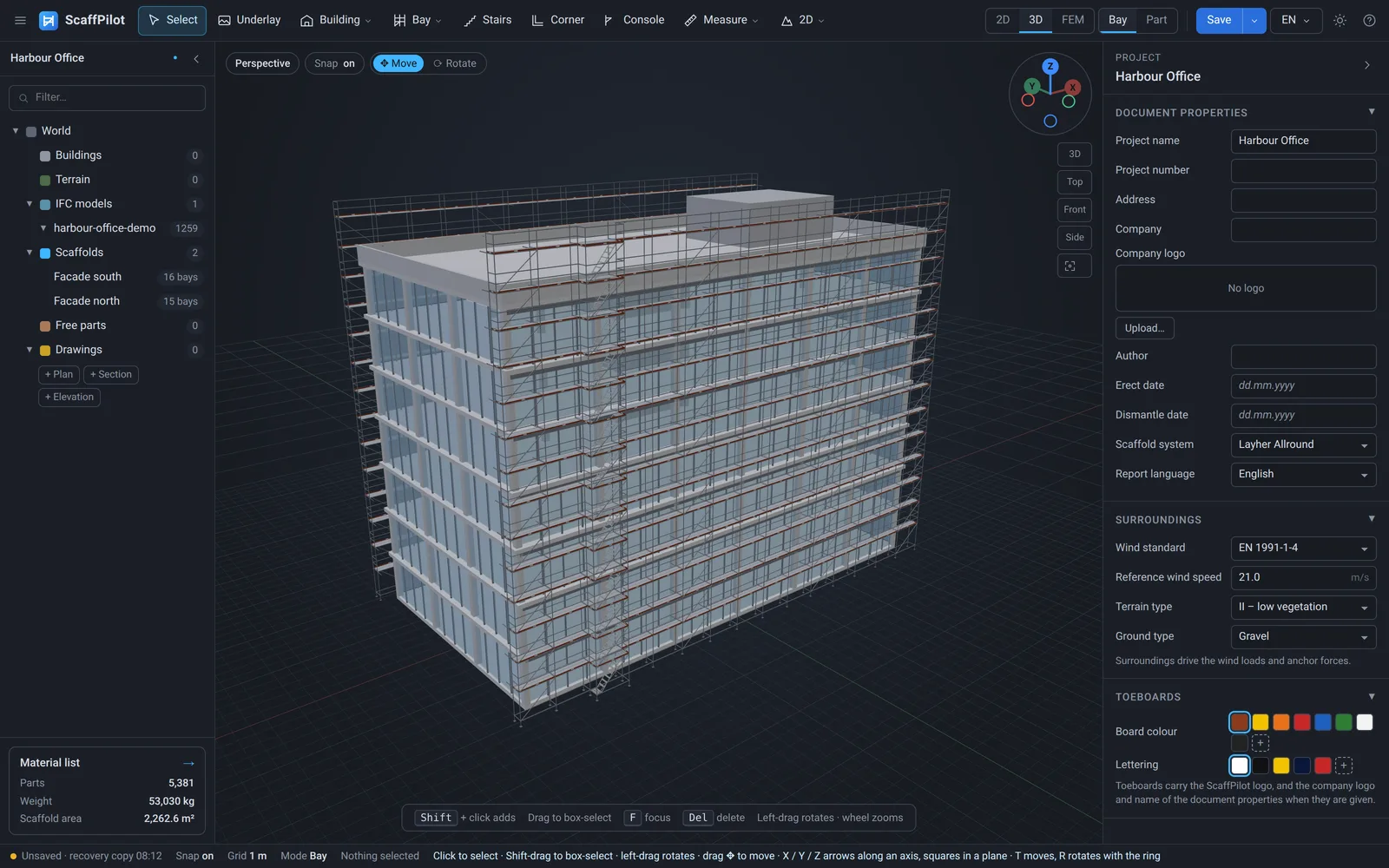
In short: ScaffPilot imports IFC2x3/IFC4 building models – including very large ones – in the browser, lets you design scaffolds directly on slabs, roofs and facades of the model, and exports the scaffolds and weather-protection roofs as IFC4 with stable GlobalIds, part numbers and property sets.
From BIM model to scaffold in minutes
- Drop the IFC on the window or choose Building › IFC. Choose one mesh, or objects per storey, type or element.
- Browse the model as site › building › storey › type › element. Hide storeys and element types you do not need, isolate a facade, frame anything.
- Draw the scaffold along the facade. Base jacks and fillers fit to the IFC slabs, roofs and stairs underneath them.
- Calculate and quote: material list, drawings and, in Engineer, FEM structural calculation.
- Export IFC4 and hand the scaffolds and weather-protection roofs back for coordination and clash detection.
Engineered for very large IFC files
Construction BIM models are big: a hospital or data-centre model easily runs to hundreds of megabytes. ScaffPilot parses the file in a separate worker, so the editor never freezes, shifts geometry from survey coordinates in double precision before it is drawn, and merges the elements into a few large meshes with per-element index ranges – so selecting, hiding and framing single elements stays fast even with tens of thousands of them. Several models (architecture, structure, MEP) share one coordinate shift and line up exactly.
IFC4 export of scaffolds and weather-protection roofs
- Stable GlobalIds derived from the project and part ids – re-exporting does not create ”new” objects in the coordinator's model.
- Weather-protection roofs too – trusses, ridge beams and bracing as IFC beams and members, roof sheets as roofing coverings, in the same file as the scaffold.
- Part numbers as Tag, so the BIM model and the material list speak the same language.
- Property sets
ScaffPilot_ScaffoldPartandScaffPilot_ScaffoldLocation– catalogue number, part type, length or area, weight and material, plus scaffold, run, bay and lift – and BaseQuantities. - Real tube and profile geometry, not triangle soup.
Every deck, ledger and stair in front of the right window.
Check clearances to the curtain wall, slab edges and balconies in 3D before the first truck leaves the yard.
Create free account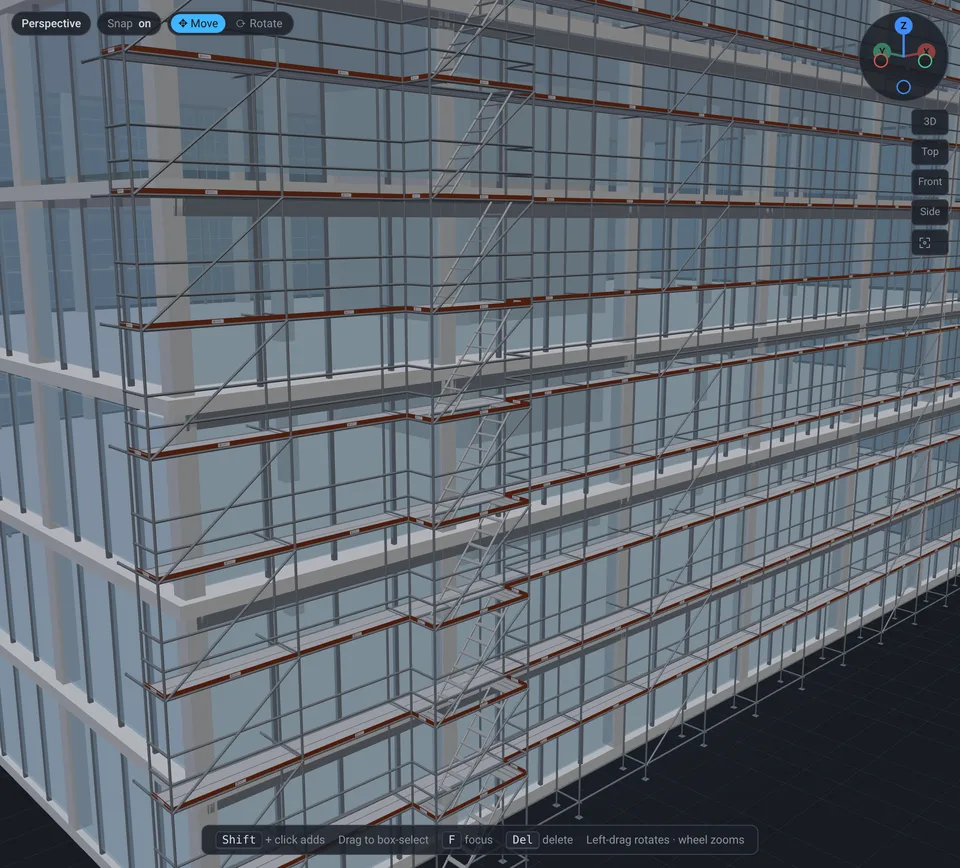
BIM & IFC questions
Which IFC versions can ScaffPilot open?
IFC2x3 and IFC4 files from Revit, Tekla Structures, ArchiCAD, Allplan and other BIM tools. Import uses the open-source web-ifc engine running in a background worker.
How large can the IFC file be?
Large. A real 168 MB structural model with 89,000 elements and 3 million triangles opened in about 8.5 seconds in the browser, using about 62 MB of geometry buffers. Models are drawn as a few merged meshes, so the view stays smooth.
Can I export scaffolds and weather-protection roofs to IFC?
Yes. ScaffPilot exports scaffolds and weather-protection roofs as IFC4: every part with a stable GlobalId (the same between exports), the part number as Tag and ScaffPilot property sets for the part and its location; roof beams and bracing as beams and members, roof sheets as roofing – ready for clash detection and coordination.
Does the scaffold follow the IFC geometry?
Yes. Slabs, roofs and stairs of the IFC model act as ground: base jacks and filler standards fit to them automatically, and scaffolds refit when the model is moved.
Do I need Revit, Tekla or SketchUp?
No. ScaffPilot is a standalone scaffold design tool in the browser and on the desktop. It reads the BIM model your client already has and gives an IFC model back.
Your next scaffold, designed and verified before lunch.
Create your account in 30 seconds and start designing in the browser. Need FEM? Upgrade with one click when you are ready.